
 Contents
 Welcome
Home
Overview
Participants
Publications
EC
Intranet
|
Pictorial Introduction to
FOUNDIT's
Interface for
Image and Design Search
Step 1
The image search interface
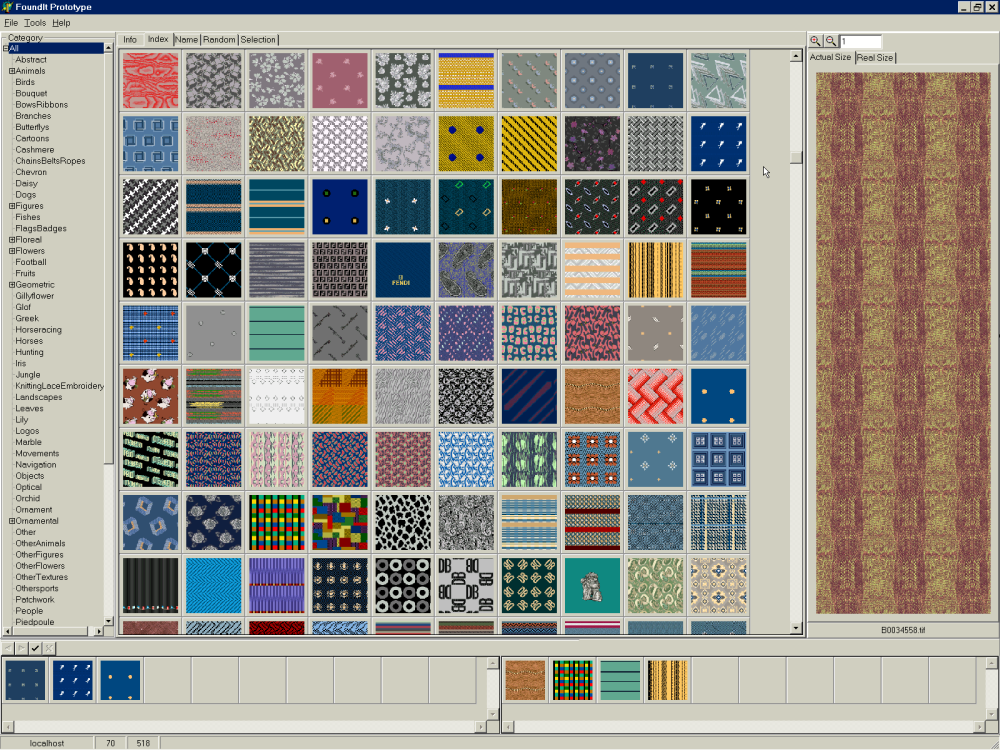
operates by initially showing a screen (see below) that displays a random
selection of images in the database. By simply clicking on images, the user can then indicate examples (single click) and
counterexamples (double click) of the sort of images or designs he is looking for. For instance, in the panel below,
the user indicates that he is looking for something blue by clicking on blue images. These are collected
in a different panel (3 images in left lower corner). Counter-examples include differently coloured images, which
are double-clicked and collected in the lower right corner of the display (4 images).
Step 2
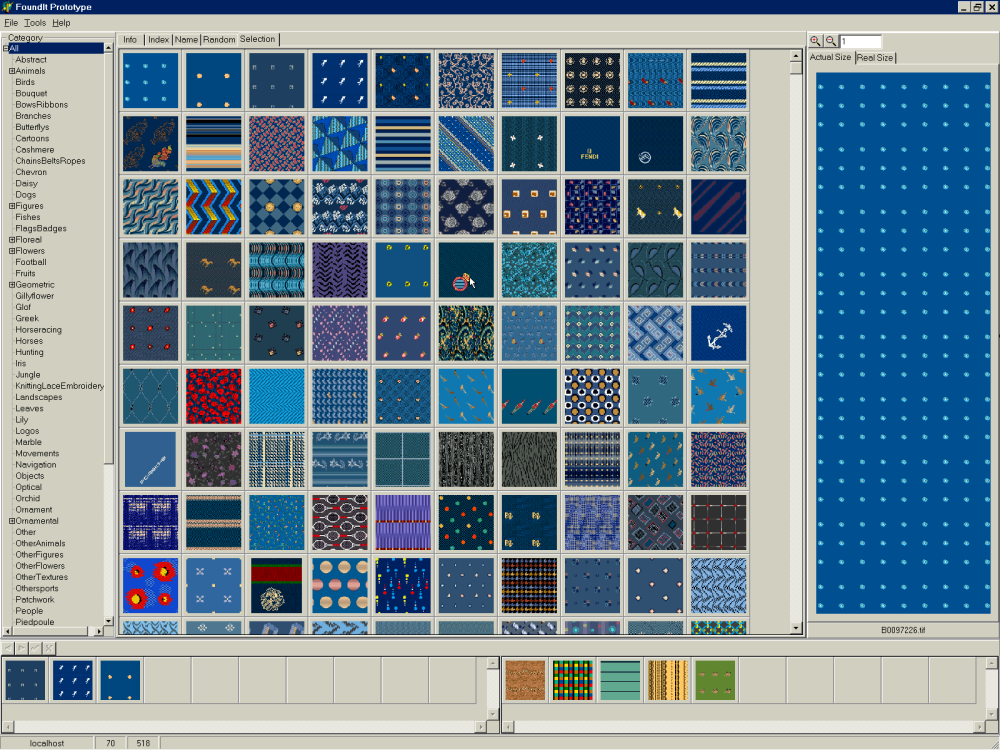
By comparing these examples and counter-examples,
the
system will automatically conclude that the user is looking for blue images and adjust the screen
accordingly: The system runs through the database and retrieves blue images which are then displayed on screen for closer inspection by the user (see panel below). This interaction can be repeated as often as necessary to
further refine the search until the required image has been located.
Applications
Because the FOUNDIT search engine observes the likes (examples) and dislikes (counter-examples)
of the user in real time and rearrange the database accordingly, it
is useful whenever one needs to search images, designs and patterns based on their
visual appearance, rather than on keywords or textual descriptions.
Applications of such a system include
- Searching databases for similar logo's, brands or trademarks;
- Allowing customers to browse large digital catalogues of images or designs
(e.g. textiles, interior decoration, art, etc.) in an intuitively appealing and transparent fashion;
- Designing tools for access and stock-management of visual catalogues and image databases.
For more information, please contact Eric Pauwels.
|

